BlockyTubbies Controls Guide
Desktop and mobile inputs, teleports, morph menus, and quiet-server habits that make badges easier.
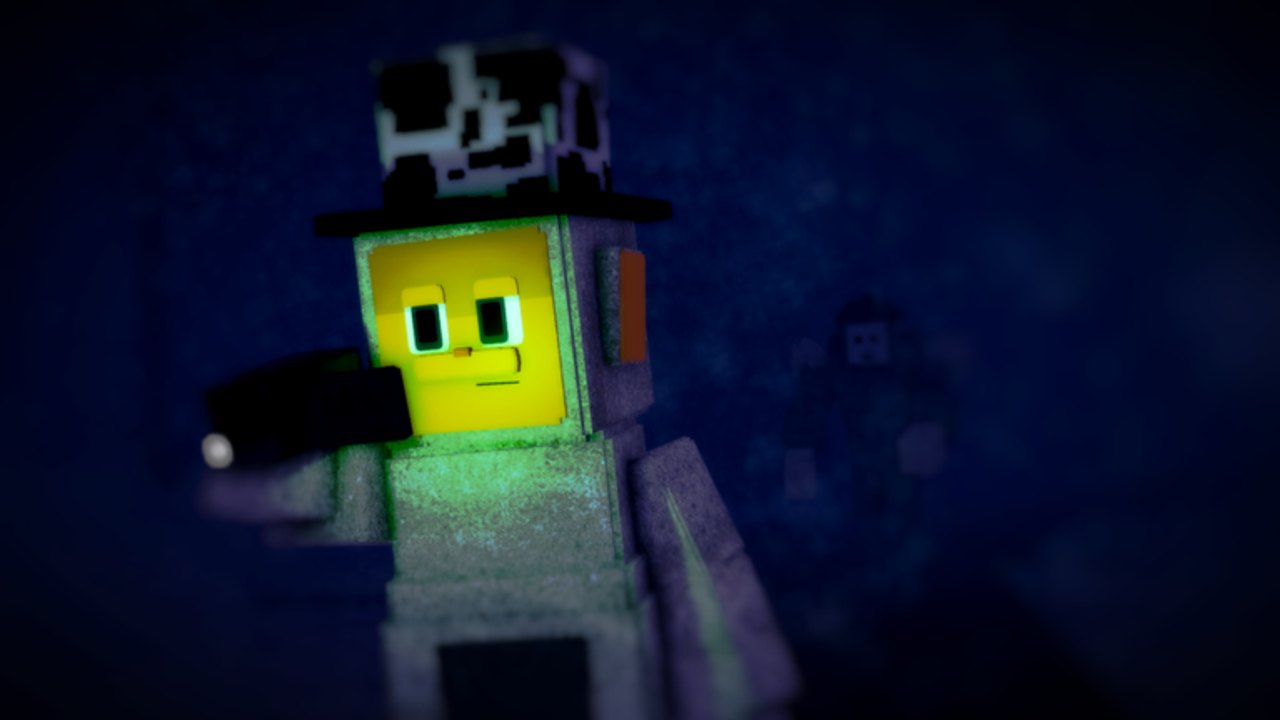
Clean controls are the quiet advantage in BlockyTubbies. Badge hunters miss tiny props, OC creators fight the camera, and mobile players blame “broken” interactables when the real issue is unlocked look drag or a hidden teleport button. This page is the practical input and UI guide for the live morph roleplay: movement, shift-lock, mobile camera, teleport UI, interact prompts, morph menus, and private-server habits. Pair it with Getting Started, Maps Guide, and the rest of the Tools Hub.
There is no mid-page video on this entry because no single clip covers every device cleanly. Use the tables and checklists below, then practice five minutes in Lobby before any hard secret.
Desktop movement and camera
| Action | Typical input | Why it matters |
|---|---|---|
| Move | WASD | Core locomotion for farming and badge routes |
| Jump | Space | Ledges on Mountains, Cave, Maze |
| Look | Mouse | Aim at props before you click |
| Sprint / walk feel | Roblox movement settings + morph | Some morphs change perceived speed |
| Shift-lock | Shift (when enabled) | Stabilizes third-person aiming |
| First person | Scroll in / zoom | Saves Gordon?-style mis-clicks |
Enable shift-lock whenever you hunt Digging, Snap!, Freedom, Nightmare, or seasonal orbs. An unlocked camera drifts off the prompt the moment you tap interact. First person is a valid alternative for crowbar and orb clicks if shift-lock feels awkward on your mouse.
Interact prompts: E and click
Most world interactions use E or a mouse click when a prompt appears on doors, Custards, tools, badge props, and puzzle pads. Habits that prevent false “broken badge” reports:
- Stand close enough for the prompt to render.
- Stop moving for half a second before pressing E or clicking.
- Aim at the handle, orb center, or glowing core—not the shadow.
- Retry once after a rejoin if latency ate the first attempt.
- Confirm you are on the correct map before grinding the same empty corner.
Keycard doors and axe breakables only work when the tool is equipped. After morphing, re-select gear; some sessions drop tool state when you swap bodies.
Teleport UI — the real beginner skill
Walking every map connection wastes more time than any other habit. Learn the Lobby teleport UI until you can hit Teletubby Land, Custard Facility, Cave, Military Base, Lake, Dream, and back without thinking. Full destination notes live on Maps Guide.
Teleport checklist:
- Always know how to return to Lobby before entering Cave or Dream.
- Teleport between dense farming maps instead of wandering empty Outskirts for ten minutes.
- During multi-step badges such as Freedom Badge and Nightmare Badge, teleport in the video order rather than improvising.
- If the UI feels missing, confirm you joined the live RP place rather than the separate Campaign experience.
Morph, OC, and inventory menus
BlockyTubbies is morph-first. Open morph and OC panels from the on-screen UI instead of guessing hotkeys every session. Useful habits:
- Try a premade morph before diving into the OC editor so camera distance feels normal.
- After buying packs such as Newborns, browse the new entries immediately so you know menu names.
- Re-equip tools after morph swaps.
- Export OC codes only after animations look correct—see Custom Animations and Create an OC.
- On lower-end PCs, avoid stacking twenty accessories before a badge run; FPS drops cause mis-clicks.
Emote panels matter for RP timing. Practice two emotes on your main morph so chat scenes do not stall while you hunt buttons.
Mobile camera and touch controls
Mobile players can complete every major badge, but camera discipline is stricter:
- Use the virtual joystick for movement and touch-drag for look.
- Practice locking a stable third-person angle before island digs or Dream secrets.
- Increase UI scale carefully so morph and teleport buttons are not hidden under notches or system bars.
- Prefer private servers for precise clicks; thumb latency plus crowds is a bad mix.
- Lower graphics if morph crowds tank frames—stable camera beats max shadows.
- Headphones help chase RP cues even though the experience does not rely on voice chat.
If a prompt never appears on mobile, zoom slightly, stop walking, and tap the prop directly after the billboard shows.
Private server and quiet-lobby tips
Servers hold up to about sixty players. That is great for social RP and terrible for tiny shovel digs. Use private or low-population public instances when you:
- Farm Custards without competition.
- Click Freedom or Nightmare interactables.
- Photograph OCs without people standing in the shot.
- Teach a friend teleports without Lobby chaos.
Public servers still matter for Lucky Guy odds, social scenes, and Guns++ play. Hop intentionally: stay when the lobby is friendly, leave when three farming loops yield nothing. Load times cost more than they save if you hop every minute.
Five-minute controls warm-up (do this every badge night)
- Join Lobby and open the teleport UI twice.
- Enable shift-lock and walk a straight line while tracking a prop.
- Interact with a harmless Custard or door to confirm E/click.
- Morph once, re-equip keycard or axe, and test both.
- Teleport to one quiet map and back to Lobby.
Only then start All Badges routes or seasonal hunts.
How controls connect to the rest of your session
| Goal | Next page |
|---|---|
| First-hour plan and tools | Getting Started |
| Where teleports send you | Maps Guide |
| Farming checklists | Tools Hub |
| Hard multi-step secrets | Freedom Badge, Nightmare Badge |
| Morph identity | Players, Newborns |
| Combat toy etiquette | Guns++ Update |
| Patch changes to UI | Updates |
Common control myths
- “I need a script to teleport.” No. Use the in-game teleport UI. Executors risk bans—see Scripts.
- “Mobile cannot get hard badges.” False. Mobile needs slower camera work and quieter servers, not cheats.
- “Shift-lock is only for shooters.” In BlockyTubbies it is a badge tool.
- “If E fails, the badge is removed.” Usually you are off-angle, on the wrong map, or missing a tool.
Master WASD, shift-lock, teleports, and deliberate interacts, and every other BlockyTubbies guide becomes shorter. Controls will not farm Custards for you, but they stop the game from feeling unfair when the real problem was camera drift.
Frequently Asked Questions
Quick answers to the most common BlockyTubbies questions.
What are the basic BlockyTubbies PC controls?
Move with WASD, jump with Space, look with the mouse, and interact with E or click when prompts appear. Enable shift-lock for precise badge and tool clicks.
How do I travel between maps quickly?
Use the Lobby teleport UI. Learn major destinations early so you can reset from Cave, Dream, or Lake without walking every connection.
Any tips for mobile camera control?
Practice a stable third-person angle, stop moving before tapping prompts, lower graphics if needed, and prefer quiet servers for tiny interactables.
Why should I use a private server?
Private or low-population servers reduce prompt blocking and make Digging, Freedom, Nightmare, and orb clicks much more reliable than full sixty-player lobbies.
Do I need scripts for better controls?
No. In-game teleports, shift-lock, and morph menus are enough. Script executors are unsafe and unnecessary for normal play.